
Bill every member in one run. Close the year cleanly. Hand your bookkeeper clean monthly totals.
- One billing run raises each member’s fees from their categories and emails every invoice.
- Members pay online from a link on their invoice or statement, or by debit order.
- Year end in an afternoon: roll balances forward, clear out resigned members and bill the new year.
Your fees, your way
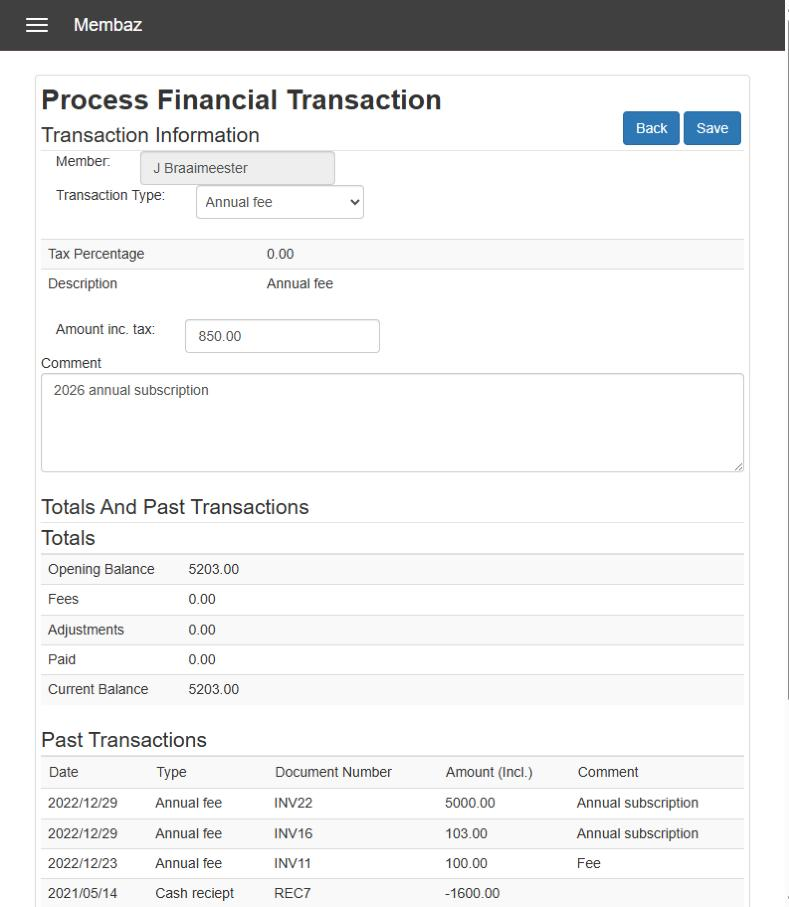
Set up transaction types that match how your organisation charges and gets paid, from annual and joining fees to early-bird discounts and EFT payments. Add VAT where it applies. Each type produces the right document and adds to the right total.
Invoices
Fees by category, with your logo, tax number and your own message.
Receipts
Record cash, EFT, online and debit order payments, each with a unique reference.
Credit and debit notes
Correct errors and give discounts properly, with a document for every change.
Proforma invoices
Ask members to pay early, before the new year’s fees are raised.
Close one year and bill the next in an afternoon
Check your members
Ready-made reports flag members with no category or with balances to settle.
Run the period end
Balances roll forward, resigned members are cleared out and expiry dates move on.
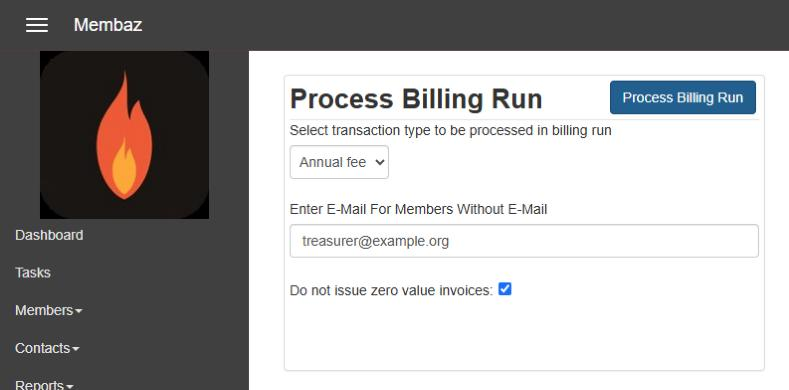
Run the billing run
One click raises each member’s fees from their categories and emails every invoice.
Collect
Members pay online from the invoice, and reminder statements go out in bulk.
Two ways to bill
One invoice per member. The billing run lists every category fee on a single invoice. Quick and simple.
Pay on statement. Raise fees category by category, then send one statement. You get more detail on what each category brings in.
Honorary and prepaid members are skipped automatically, so nobody receives a confusing zero-value invoice.
Get paid faster
Pay online with PayFast
A payment link appears on every PDF invoice and statement, so members can pay by card or instant EFT.
Debit orders
Store banking details on the member and create a debit order file for Netcash (formerly Sage Pay) in bulk.
Statements in bulk
Email statements to everyone in arrears, with a friendly reminder in your own words.
Hand your bookkeeper clean numbers
Membaz is your member ledger, not your accounting package. Each month, one report gives you totals per transaction type to post against a single “Members” debtor in your accounting package. The detail stays in Membaz, ready whenever anyone asks.
Membaz
Every invoice, receipt and note, member by member.
Monthly totals report
Transaction detail and totals for the month, exported to Excel.
Your accounting package
One “Members” debtor, posted with the monthly totals.
Know where you stand, and who did what
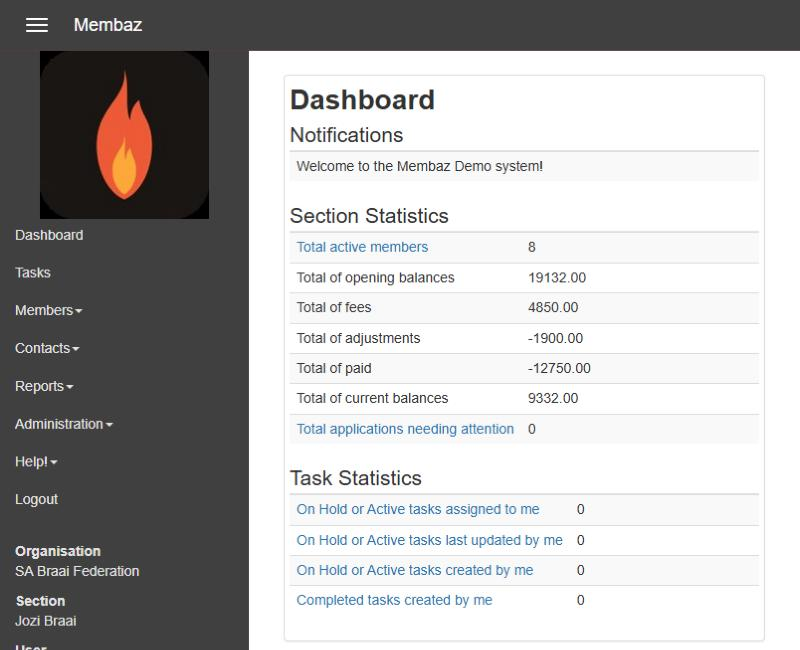
- The dashboard shows fees raised, payments, adjustments and what is still owed.
- Every document has a unique number, so bank reconciliation is easy.
- The activity log records who created and sent each document.
- Reprint any invoice, receipt or statement, singly or in bulk.
Questions people ask
Is Membaz an accounting package?
No. Membaz manages everything to do with your members, including their accounts. A monthly report gives your bookkeeper the totals to post to your accounting package.
Can we charge VAT?
Yes. Each transaction type can carry a tax type and percentage, and your tax number appears on every financial document.
What about members without an email address?
During a billing run their invoices go to an address you choose, usually the treasurer’s, so you can print and post or hand them out.
Can we see transactions from previous years?
Yes. Statements start from the last period end, but the full history stays on each member’s financial transactions tab.