
Everything you know about a member, in one record, organised your way.
- Find anyone in seconds by name, company, membership number or category.
- Record what matters to you with your own fields, categories and documents.
- Act on hundreds of members at once, from fees to cards to emails.
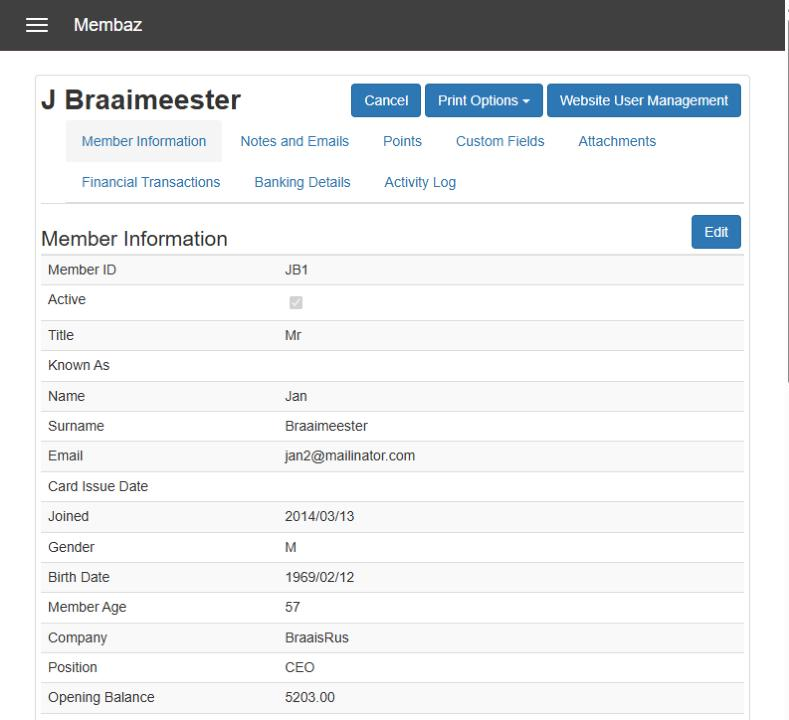
One record, everything in its place
- Member information: contact details, dates, company, balances, categories, phone numbers, addresses and photograph.
- Notes and emails: every note, and every email sent from Membaz, newest first.
- Points: CPD, loyalty or attendance points and their history.
- Custom fields: the extra details your organisation needs, such as a golf handicap or a practice number.
- Attachments: documents such as ID copies, proof of address, waivers or signed consent.
- Financial transactions: invoices, payments and statements.
- Banking details: for members who pay by debit order.
- Activity log: who changed what, and which documents were sent.
Organised the way you work
Sections
Run branches or sections separately under one organisation, each with its own members, rules and finances.
Categories
Give each member one main membership type, such as Senior or Junior, plus any number of extra groups, such as committees or interest groups. Categories can carry their own fees.
Custom fields
Add the extra fields you need, as text or numbers, and show them on your signup form if you wish.
Contacts
Keep suppliers, sponsors and other non-members alongside your members, with their own reports and labels.
Act on many members at once
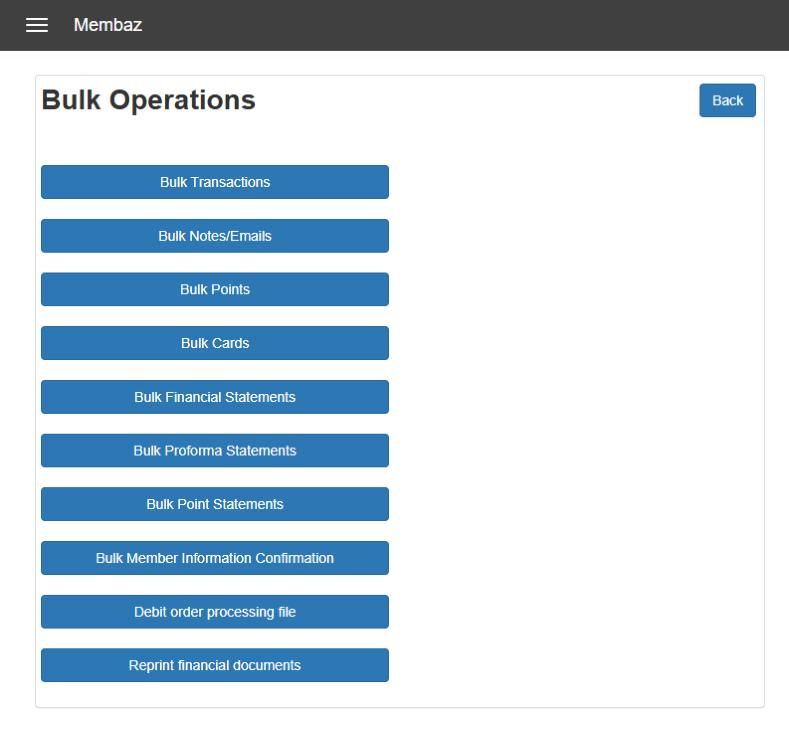
Pick a category, filter by balance or name, select the members you want and choose what to do:
- Process the same transaction for everyone
- Save a note or send an email
- Award points
- Create membership cards (download or email)
- Email financial, proforma or points statements
- Ask members to confirm their details
- Create a debit order file
- Reprint financial documents
Keep records up to date
Send members all or part of their record and ask them to reply with any changes. Standard reports point out members with no category or missing documents, so gaps are found before they cause trouble.
Leaving and rejoining
Inactivate members who leave once their balance is settled, and reactivate them later with their full history. Or move them to a category such as Resigned, and Membaz clears them out at the next year end.
Bring your data with you
Upload members, contacts and opening balances from Excel templates that Membaz generates for you. For larger lists, send us the spreadsheet and we will load it.
Questions people ask
How many members can Membaz hold?
Membaz is used by small clubs and large associations alike. Bulk uploads in the browser suit up to about 5,000 members at a time; we load bigger lists for you.
Can we keep our existing membership numbers?
Yes. Load them with your data and Membaz carries on numbering from the last one. You can also give numbers a prefix of up to five characters.
Can members update their own details?
Yes. Send them their record by email to confirm, or let them view and update approved fields through your WordPress site.